Send the lab prompt and the criteria attached to it and a premium original sample comes back inside 24 to 48 hours, with every command shown next to the output it produced and the interpretation written underneath, each hardening step mapped to a published benchmark item, and a second reader confirming the syntax before anything reaches you. Registration will call it IT FPX 4575, Linux Operating Systems, an IT-FPX course carried as an elective or a specialization-eligible option rather than a fixed requirement for every learner, run through FlexPath in a BS in Information Technology that asks for 90 program points at minimum and 27 of those at the 3000 level or beyond. What the course is worth, and which requirement it discharges, is printed on your own program evaluation. In Capella's catalog the course code is written IT-FPX4575.
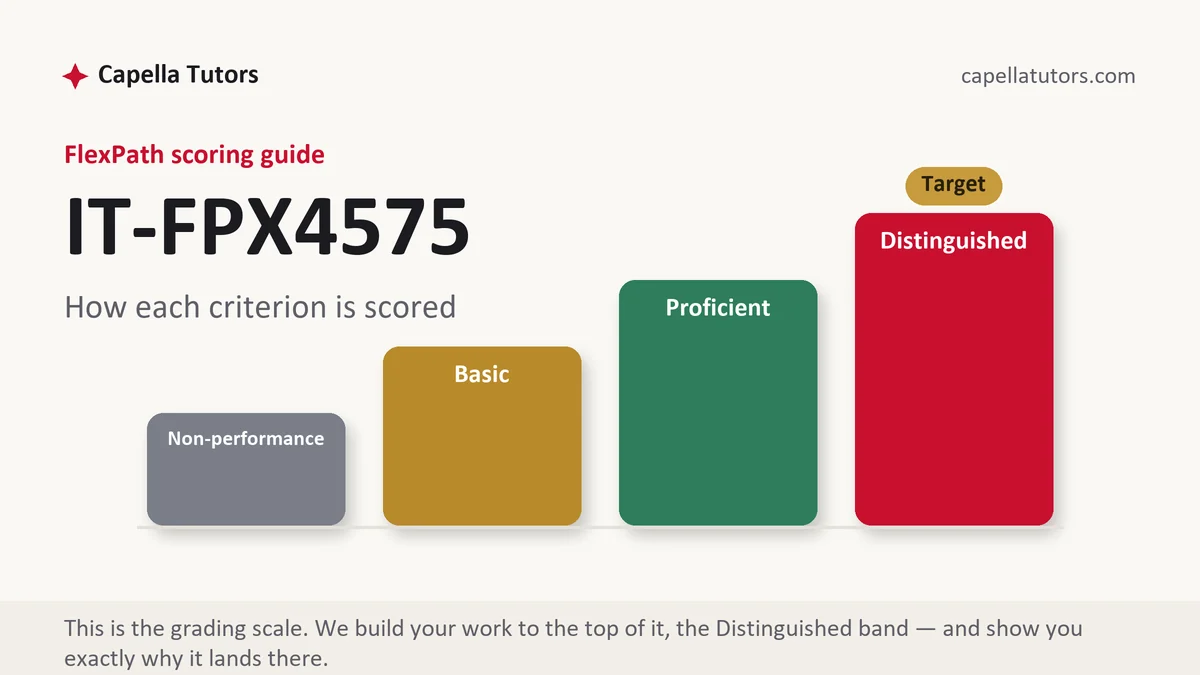
What IT FPX 4575 actually grades
The first thing tested is whether you can operate a system through text rather than through a window, and the criteria are written by people who can tell the difference between a student who ran a command and one who understood it. Configuration lives under the etc directory, logs live under var, device nodes and kernel state are exposed as files, and that consistency is the reason a pipeline of small utilities can answer questions no graphical tool was built for. Redirection, pipes, exit statuses, and the filters that search, cut, sort, and count text are the administrative interface, and an answer built from them is reproducible in a way that a sequence of clicks never is. Distribution family matters and should be stated up front, because package management with the Debian tooling and package management with the Red Hat tooling use different commands, different repository configuration, and different default service names, and a submission that mixes both reads as copied from two tutorials. Name the distribution and the release in the first paragraph, then stay inside it.
Identity and permission form the second strand and carry the heaviest grading weight in a security-leaning program. Every file has an owner, a group, and three sets of rights, and reading octal fluently is expected: 640 means the owner reads and writes while the group only reads and nobody else has anything, 755 means everyone may traverse and execute while only the owner may change, and the mask a shell applies at creation is why a new file does not arrive with the permissions you assumed. The special bits are where real design happens, since the set-group-identity bit on a directory makes new files inherit the directory's group and the sticky bit on a shared directory stops one user deleting another's files. Elevation belongs to a configured policy rather than to a shared root password, which is why the elevation rules are edited through the tool that validates them before saving instead of by opening the file directly and risking a syntax error that locks everyone out. Mandatory access control sits above all of that, whether that is the labelling system on Red Hat derivatives running in enforcing, permissive, or disabled mode, or the profile-based equivalent on Debian derivatives, and knowing which one your distribution ships is part of knowing your distribution.
The third strand is services, evidence, and hardening. The modern init system distinguishes starting a unit now from enabling it at boot, and confusing those two produces a service that works until the machine reboots. Logs are queried through the journal as well as read from files, and an administrator who cannot find the reason a unit failed cannot troubleshoot anything. Auditing is separate from logging and answers a different question, which is who touched what, and rules placed in the audit configuration directory are what make that record exist. Remote access is the control everyone is graded on: root login disabled, password authentication turned off in favor of keys, the daemon configuration changed deliberately rather than copied, and the service restarted and verified. Wrap the network side with a firewall named specifically rather than described vaguely, and map each hardening decision to the benchmark published by the Center for Internet Security for that distribution, or to the federal implementation guide where the scenario is government work, cited by version.
How we help in this course
Systems deliverables from this studio are built to be reproduced rather than admired. Each step arrives as the exact command, the output it produced, and a sentence saying what the output proves, so an evaluator can follow the work without guessing what happened between two screen captures. Permission changes are explained in octal and in words, service configuration cites the file and the directive changed, and every hardening action carries the benchmark reference or control family it satisfies. Where a step could lock you out of your own machine, the draft says so and gives the verification to run from a second session first. Tell us the distribution, the release, and the criteria, and the commands will match the system you are actually working on rather than a generic one.
The arrangement behind that is the same one every course on this site runs under. Delivery is inside 24 to 48 hours, the target is the Distinguished descriptor, and eight people handle the work: research pulls your scoring guide and the documentation for your release, a subject specialist builds and verifies the procedure, a reviewer marks the draft criterion by criterion in the evaluator's order, an APA and originality pass fixes the referencing, and an editor reads it last. One pass exists only to run the commands on a clean installation of the distribution you named, because a directive that was renamed two releases ago will fail on your machine and cost you a criterion. Revisions are free until the guide is satisfied, faculty feedback returns to the queue at no charge, and with two business days available for an evaluation, submitting early beats writing quickly every time.
The assessments, one by one
Assessment 1
The opening deliverable in a Linux course usually asks you to build a system, design the accounts and groups a described organization needs, and set filesystem permissions you can explain digit by digit, with every claim carried by a command and its output. Read the full Assessment 1 manual.
Assessment 2
The middle deliverable in this course usually asks you to manage services and packages properly and then use the journal and the audit subsystem to answer a question about what happened on a system, with each record tied to the question it was configured to answer. Read the full Assessment 2 manual.
Assessment 3
The final deliverable in this course usually asks you to harden a system against a published benchmark, verify each change without locking yourself out, and state the exposure that remains afterward, with every step mapped to a versioned item rather than to preference. Read the full Assessment 3 manual.
How to actually write IT FPX 4575: where to begin
Set up the evidence habit before you touch the system, because it decides half the grade in a practical course. Every action you take should be recorded as three things: the command exactly as typed, the output exactly as returned, and one sentence saying what that output demonstrates. A screen capture with no command visible proves nothing, and a command with no output proves that you typed it rather than that it worked. Build the document as you go instead of reconstructing it afterward from memory, and keep a plain text scratch file open beside the terminal so the commands can be pasted rather than retyped with a new typing error in them.
Then work a permissions task all the way through, because it is the exercise that most reliably separates the columns. Suppose a finance group needs a shared directory where members can read and write each other's files and nobody outside the group can see anything. Create the directory, set its group ownership to the finance group, then set the mode to 2770. Read that number aloud in the paper: the leading 2 sets the group-identity bit so files created inside inherit the finance group instead of the creator's private group, the first 7 gives the owner read, write, and traverse, the second 7 gives the group the same, and the trailing 0 gives everyone else nothing. Then close the gap most students leave, which is that the shell mask still strips group write from new files, so the members need a mask that permits it or the inheritance you just configured will not produce the behavior you promised. Verify with a long listing of the directory itself and by creating a file as one member and editing it as another. Contrast that with the answer found on forums, which is to make the directory readable and writable by everyone, and say what that actually grants and why an auditor records it as a finding rather than as a solution.
Finish with hardening tied to a published control rather than to preference. Take remote access: disable direct root login and turn off password authentication in the daemon configuration, deploy a key for the administrative account first, reload the service, and verify by opening a second session while the original one is still connected, because locking yourself out of a remote host is the classic self-inflicted outage in this subject. Then write the mapping sentence that earns the criterion, naming the benchmark item and the control family the change satisfies and stating the residual exposure that remains, which is that a stolen private key with no passphrase still gets in. Do the same for the firewall, for automatic updates, and for the audit rules, and the hardening section reads as engineering rather than as a checklist copied from a guide.
| Section | What goes in it | What Distinguished looks like |
|---|---|---|
| Environment | Distribution, release, virtualization platform, and how the system was installed. | The release named precisely, with any behavior that differs from other families flagged. |
| Users and groups | Accounts created, group design, elevation policy, and password or key requirements. | Group structure argued from who needs access to what, with elevation scoped rather than blanket. |
| Filesystem and permissions | Directory layout, ownership, modes in octal, special bits, and the creation mask. | Every mode explained digit by digit, with inheritance verified by an actual test. |
| Services and packages | Units started against units enabled, package sources, and the update mechanism. | Boot persistence demonstrated rather than assumed, with package origin and version recorded. |
| Logging and audit | Journal queries, log locations, audit rules, and what each record is meant to answer. | Audit rules written for a stated question, with retention and log integrity addressed. |
| Hardening and sources | Remote access settings, firewall, mandatory access control, benchmark mapping, current APA. | Each change mapped to a versioned benchmark item, with residual exposure stated honestly. |
Developing the analysis
There is a live argument in this subject that shows up in almost every real environment, which is what to do when mandatory access control blocks something you need to work. The path of least resistance, repeated in a thousand forum answers, is to switch enforcement off and move on, and it does make the immediate problem disappear. The honest case for that shortcut is that writing policy is genuinely difficult, the denial messages are terse, and an administrator under time pressure is trading a theoretical protection for a service that has to run this afternoon. The case against is that the protection is not theoretical, since the whole point of the labelling system is to contain a compromised daemon inside the files it legitimately needs, and turning it off converts a contained incident into an unrestricted one. The position worth writing in a paper is a procedure rather than an opinion. Put the system into the permissive mode so the denial is recorded without being blocked, read the denial to find out what was actually refused, generate and review a targeted policy module that permits only that, then return the system to enforcing and confirm the service still works. Permissive is a diagnostic step and not a resting state, and saying exactly that, with the sequence attached, demonstrates the judgment the analysis criterion is written to find.
Citations that survive faculty review
Systems work has its own referencing conventions and evaluators in this program apply them. The manual pages and the official documentation for your distribution release are the primary sources for what a command or a directive does, and they should be cited with the release and the retrieval date, since directives get renamed and defaults change between versions. Configuration standards come from the benchmarks published by the Center for Internet Security for that specific distribution and version, and from the federal implementation guides where the scenario involves government systems, both cited by document version rather than by title alone. Control language comes from the general security and privacy control catalog and from the server security guidance published by the National Institute of Standards and Technology, which is what lets you say a change satisfies a named control family instead of saying it is good practice. Structural references such as the filesystem hierarchy standard are worth citing when you make a claim about where something belongs. Peer-reviewed and vendor-neutral technical publications through the Capella library carry anything comparative. One warning is worth repeating: a forum post instructing you to run something with elevated rights is not a source and often not even correct, so trace the behavior back to documentation before you write it down, and never paste a command you cannot explain.
The mistakes that land Basic instead of Distinguished
- Permissions opened to everyone as a fix. Granting global read and write solves the symptom and creates the finding an auditor will write up first.
- A service started but never enabled. It works until the machine reboots, and the criterion about persistence is the one being tested.
- Distribution families mixed in one procedure. Commands from two package managers in the same document show the steps were never run as written.
- Screen captures with no command visible. Output alone does not establish what produced it or on which system it was produced.
- Enforcement disabled instead of configured. Switching the protection off removes the containment the scenario needed and is graded as avoidance.
IT FPX 4575 questions students actually ask
Which distribution should I install for this course?
Check the criteria first, because some prompts name one, and where the choice is open pick a mainstream long-term support release from either major family and stay on it for the whole course. A release with years of support left behaves the way the documentation says it does, which matters more than having the newest kernel, and a rolling release that updates constantly will change under you between one deliverable and the next. Install it in a virtual machine on your own hardware, take a snapshot before each exercise so a broken configuration costs you two minutes rather than an evening, and never practice on a system belonging to an employer. Then record the distribution and release in every submission, since half the commands in this subject are only correct relative to that answer.
How do I show terminal output without exposing my employer's systems?
Do the work on your own virtual machine and the question resolves itself, which is why the setup above matters. If an assessment asks you to describe a real environment you administer, describe it in general terms and demonstrate the technique on your lab system instead, and say in one sentence that the demonstration was performed on a personal test host. Before pasting any output, read it for host names, internal addresses, user names, and anything resembling a key or token, and replace them consistently with obvious placeholders rather than with black boxes drawn over a screenshot. Consistency matters because an evaluator has to be able to follow the same identifier through several steps.
Do I need to memorize commands to do well here?
No, and trying to is the wrong use of your time. What is graded is whether you can find the right option in the documentation, explain why it is the right one, and predict what it will do before you press return. Learn the small number of patterns that recur, meaning how to inspect the state of a service, how to read a permission listing, how to query the journal for a time window, and how to find which package owns a file, and look up the rest. The one thing worth committing to memory is the habit of checking a destructive command before running it, particularly anything recursive aimed at a path that starts at the root, because that is the mistake in this subject that has no undo.
Lab write-up due?
Send the prompt, the criteria, and your distribution and release. Commands come back verified, output comes back interpreted, and every hardening step cites the benchmark item behind it. You pay nothing for the premium sample that comes first.