This manual is for IT FPX 3240 Assessment 2, start to submission. The second deliverable in this course usually moves the page from sitting still to responding: elements found in script, behavior attached with listeners, a form checked before anything is sent, and an explanation an evaluator who does not write code can still follow. Working script earns nothing on its own, because the criterion is scored from your paragraph rather than from your file. Below you get the method, a structure that answers each criterion in turn, and a short annotated excerpt. Short on days? We build the same deliverable against your scoring guide inside 24 to 48 hours and keep revising at no charge until the guide is met. Capella's catalog lists the course as IT-FPX3240, and some courserooms print IT3240; both point to this same Assessment 2.
One honesty note before the manual: Capella revises courses and scoring guides over time, so always write to the exact scoring guide attached to your assessment in the courseroom. The course identity above is verified on capella.edu; the method and structure below are our tutors' approach to it, not Capella's official rubric text.
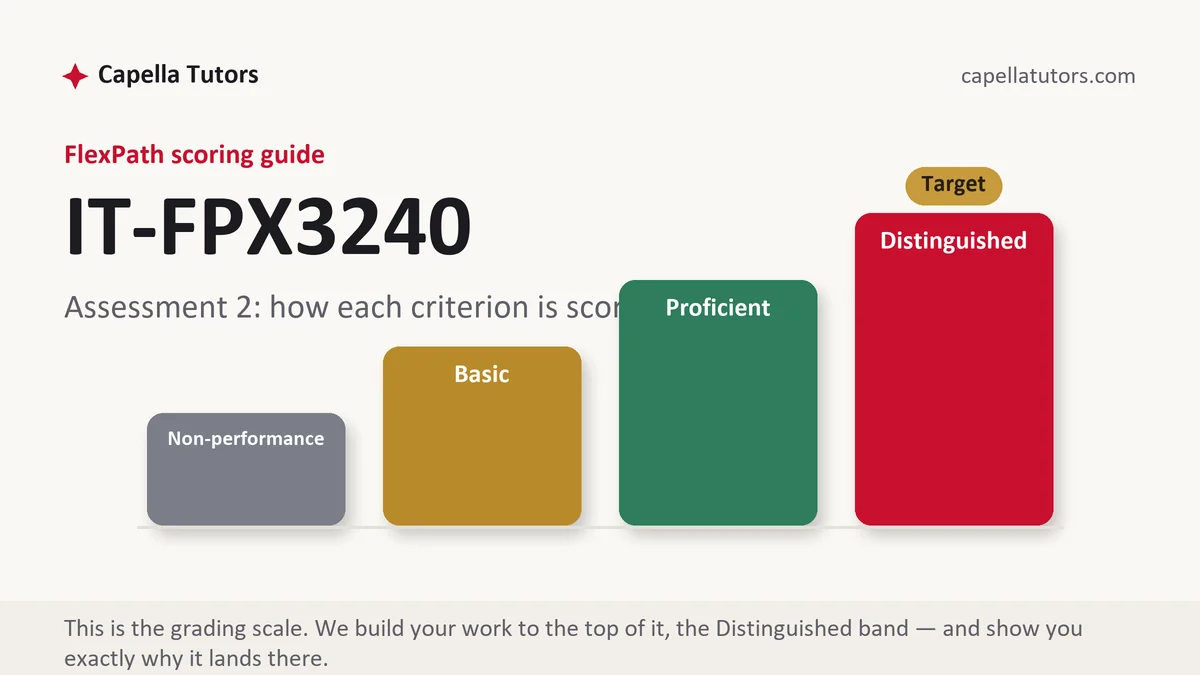
How IT FPX 3240 Assessment 2 is scored
There are four levels per criterion in FlexPath and no letter grade anywhere. The level descriptions are the specification for your writing:
| Level | What it means on a scripting and validation submission |
|---|---|
| Distinguished | Each function is explained in ordinary sentences, one rejected alternative is named, and the document states plainly what browser-side checking does not protect. That last admission is usually the sentence the top column pays for. |
| Proficient | The script runs, the checks fire, and everything the prompt asked for is present. Complete, and describing rather than defending. |
| Basic | Working code pasted in beneath a caption saying what it does. The commonest result when the write-up was assembled after the build was finished. |
| Non-performance | A required behavior is absent, or the console throws an error the moment the page loads. A visible error on first open reads as untested. |
One habit separates the top two columns here: naming the option you did not take. Delegating one listener to the container instead of binding one per row, or reading a value with textContent instead of innerHTML, are decisions with reasons behind them, and the reason is what a criterion can mark.
The IT FPX 3240 Assessment 2 method, step by step
-
List the behaviors the criteria actually require
Before any editor is open, write the behaviors as a numbered list in plain sentences, one line each, with the criterion that demands it in brackets. Anything not on that list is optional work, and optional work is where students spend the evening they needed for the write-up.
-
Pick a form with rules worth enforcing
A bicycle repair co-op taking drop-off bookings gives you a member number with a fixed shape, a bike type from a short list, a collection date that cannot be in the past, a contact field where either a phone or an email is acceptable but one is required, and a note field with a length limit. Five different kinds of rule, which is far better practice than five identical required fields.
-
Select elements once, attach behavior with listeners
Query the document once at the top and hold the references, since selecting inside a loop is the beginner habit that shows. Use addEventListener rather than markup attributes, and when rows can be added later, put one listener on the container and check the event target inside the handler. Your listener count stays at one and rows created after load keep working.
-
Validate on the form's submit event, never on the button's click
Listening for submit on the form catches the member who presses Enter in the date field as well as the one who reaches for the mouse. Call preventDefault only after a check has failed, so a valid booking still submits if scripting is removed. Write messages with textContent into a container marked aria-live, and never with innerHTML when the text came from a person.
-
Prove it runs by capturing states
Capture the empty form, the form showing one error, and the confirmation after a successful booking, then caption each with the file name and the function that produced it. Quote the ten or fifteen lines that do the work underneath and walk a reader through them in sentences. Name the browser and version you tested in, because saying nothing about testing reads as not having tested.
-
Say what the validation does not do, then self-score
Add the sentence that separates a student from a professional: checking in the browser is a courtesy to the person filling the form and not a security control, because script can be disabled and the request sent directly, so the server has to check every value again. Then mark yourself against each row and fix anything under D.
A structure that maps to the criteria
These are planning targets our tutors use for the document that accompanies a scripted build, not Capella rules; where your own guide asks for more, give it more.
| Section | What it must do | Guide |
|---|---|---|
| Requirement map | Criteria beside the file, the function name, and the line range that answers each one. | ~150 words |
| Behavior specification | Each required behavior as a sentence, with the rule it enforces and the message it shows. | ~250 words |
| The script explained | Selection, listeners, the handler flow, and one alternative you considered and rejected. | ~350 words |
| Messages and accessibility | Where errors appear, how they are announced, and why color alone is not doing the work. | ~200 words |
| Testing evidence | States captured, browser and version, console clean, and one defect found and repaired. | ~200 words |
| Sources | Language and platform documentation cited for behavior claims, borrowed code credited, current APA. | as needed |
Annotated sample excerpt
An original model excerpt written by our team, pitched at the register the top column describes. Study the moves in it and then write your own.
The handler listens for the submit event on the form element rather than for a click on the send control, so a member who presses Enter in the collection date field gets the same checks as one who reaches for the mouse.1 preventDefault runs only after a check has failed, which leaves a valid booking submitting normally if scripting is ever switched off.2 Messages are written with textContent into a container marked with aria-live, so a member using a screen reader hears why the form refused instead of meeting silence.3
- 1Names the event and the reason for choosing it, so a criterion about event handling has a sentence to mark rather than a screen capture to interpret.
- 2States how the page behaves with no script at all, which is the degradation point most drafts leave out entirely.
- 3Ties a technical choice to a named person's experience, and picks textContent over innerHTML deliberately, which is worth saying aloud.
The full premium sample for your exact assessment, written fresh to your scoring guide and issue, is free to request. Study it, revise it into your own voice, and submit work you understand.
The five mistakes that cost Distinguished
- Handlers written into markup attributes. An onclick attribute contradicts the separation of behavior the guide is looking for, and it is spotted instantly.
- User text pushed through innerHTML. That is the standard way a beginner injects script into their own page, and a security-aware criterion will catch it.
- Checks bound to the button rather than the form. The keyboard path skips them entirely, which turns a passing feature into a partial one.
- Errors signalled by color alone. A red border tells a colorblind user nothing, and the message has to exist in text.
- Browser checking described as security. It is an interface convenience, and the paper has to say the server repeats every check.
Pre-submission checklist
- Every required behavior traced to a criterion, a function name, and a line range
- Listeners attached in script, with delegation used where rows can be added later
- Validation bound to the form's submit event, with preventDefault only on failure
- Error text written with textContent into a container that announces changes
- Three states captured, browser and version named, console clean on load
- One sentence stating that the server must repeat every check, then self-scored D per row
Script working and the write-up not started?
Send the prompt, the criteria, and the files as they stand. You get the script commented at the level a grader needs, the validation logic explained in plain sentences, and captured states with captions, back in 24 to 48 hours and revised free until the guide is satisfied. No fee applies to your first premium sample.