This manual is for IT FPX 1006 Assessment 3, start to submission. Assessment 3 of IT FPX 1006 usually asks for documentation somebody else could follow: a procedure written in numbered steps, evidence from a machine you actually worked on, and the reasoning carried by the prose rather than by the pictures. Your scoring guide decides the exact shape, and the rows that hurt are the ones about reproducibility, since a step only counts if a stranger could repeat it. Below is the method our tutors follow, a structure built out of the criteria, and an annotated sample excerpt. Rather not write it? Turnaround on a premium original sample for this exact assessment is 24 to 48 hours, and it is revised at no cost until the criteria are met. Capella's catalog lists the course as IT-FPX1006, and some courserooms print IT1006; both point to this same Assessment 3.
One honesty note before the manual: Capella revises courses and scoring guides over time, so always write to the exact scoring guide attached to your assessment in the courseroom. The course identity above is verified on capella.edu; the method and structure below are our tutors' approach to it, not Capella's official rubric text.
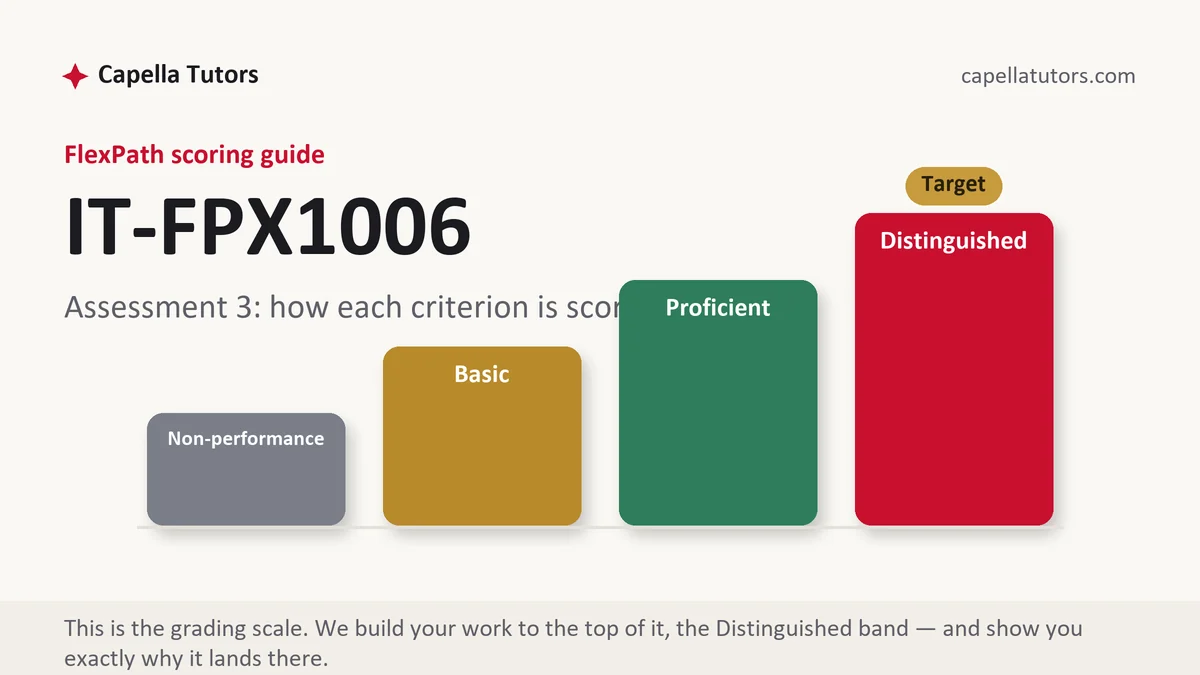
How IT FPX 1006 Assessment 3 is scored
There is no letter grade waiting at the end of this. Each criterion sits at one of four levels, and the level text tells you what the paragraph under it has to contain:
| Level | What it means on a documented procedure |
|---|---|
| Distinguished | A stranger could run the procedure from your document alone, the failure you hit is shown and resolved on the page, and the limits of the procedure are stated. Naming what it does not cover is usually the move the top level was written for. |
| Proficient | The steps are complete, correct and in order, with evidence attached. Genuinely usable, and still one level below the column that asks for the edges. |
| Basic | A narrative of what you did, accurate but unrepeatable, with several actions folded into one step. This is where most first procedures land. |
| Non-performance | A required artifact never appears, most often the evidence or the numbered steps themselves. The row is graded on what is present, not on what was intended. |
Documentation is the one deliverable in this course you are certain to write again after graduation, which is why the criteria are unusually strict about order and evidence. Write it for the person on the next shift and the rows about clarity take care of themselves.
The IT FPX 1006 Assessment 3 method, step by step
-
Read the guide for artifacts rather than topics
A documentation criterion usually wants four separate things: the procedure, the evidence, the explanation of why the procedure is built this way, and the format. Each of those exists or it does not, and none of them substitutes for another. List them before you start so you cannot finish with three of the four.
-
Write for the person who runs it next, not for yourself
Assume the reader has not done this before, has your document open on a phone, and cannot ask you anything. That reader needs the exact menu name, the exact button, and the state of the machine before step one. Prerequisites belong at the top: what you need to hand, what access you need, and what has to be true before the first action.
-
One action per numbered step
A step containing three verbs is three steps pretending to be one, and it is where a reader loses their place. Number every step, keep each one to a single action with a single observable result, and say what the screen should look like afterwards so the reader can tell whether it worked before moving on.
-
Keep the error you hit and build a paragraph on it
An error you documented, diagnosed and cleared evidences your reasoning far better than a clean window showing only the finished state. Show the message, say what you thought caused it, describe the test that confirmed or killed that theory, then show the corrected state as a second numbered figure. Two captures with four sentences of reasoning beat one tidy image.
-
Say what the procedure does not cover
Every real procedure has a boundary: a model it does not apply to, a step that needs someone else's access, a case where it should be abandoned and escalated. Writing that boundary down is honest, it takes three sentences, and it is frequently the difference between the top two columns on a documentation criterion.
-
Test it on somebody who has never done it
Hand the draft to a person outside the field and watch where they stop. Every hesitation is a missing step, and the places they get stuck are the places your evaluator will circle. Fix those, self-score each criterion, and submit early enough that two business days of evaluation still leave you room.
A structure that maps to the criteria
Planning targets our tutors use for a procedure document of this size rather than limits set by Capella; lengthen any section your guide leans on.
| Section | What it must do | Guide |
|---|---|---|
| Purpose and scope | What the procedure accomplishes, who runs it, and which situations it is not meant for. | ~150 words |
| Prerequisites | Access, hardware, files and starting conditions that must be true before step one. | ~120 words |
| The numbered procedure | One action per step, in order, each with the result the reader should observe. | ~400 words |
| Evidence | Numbered figures from the machine you used, each captioned to the criterion it serves. | ~150 words |
| Troubleshooting | The failure points, what causes each, and the check that confirms the cause. | ~200 words |
| Limits, format and references | Where the procedure stops applying, plus headings, layout and current APA. | as needed |
Annotated sample excerpt
A short passage from an original model our team produced, showing how a step reads when the failure is documented instead of hidden. Learn the pattern and apply it to your own task.
This procedure is written for the office coordinator who will run it after the technician who wrote it has gone home, and it covers one task only, which is putting the standard image onto a replacement laptop for a new starter.1 Step 4 is where it fails most often: the laptop has to be told to look for the deployment server before it looks at its own drive, and on this model that is a firmware setting rather than the one-time boot menu, so Figure 3 shows the firmware with network boot placed first and the machine name and clock left visible in the corner.2 If the laptop still loops back to its own drive, the cause is almost always secure boot left enabled, and Figure 4 shows the same screen after that setting was cleared and step 4 was repeated successfully.3
- 1Fixes the reader and the boundary in the opening sentence. One task, one audience, and no ambiguity about who is expected to be holding the document.
- 2Distinguishes two settings a beginner confuses, then points at evidence with the hostname and clock in frame so the capture is traceable to a real machine and a real moment.
- 3Documents the failure and the fix as part of the procedure rather than as an apology. The reasoning shown here is what the troubleshooting criterion is written about.
The full premium sample for your exact assessment, written fresh to your scoring guide and issue, is free to request. Study it, revise it into your own voice, and submit work you understand.
The five mistakes that cost Distinguished
- Several actions crammed into one numbered step. The reader loses their place between the verbs, and the reproducibility row is graded on exactly that.
- A borrowed capture from a search result. The interface version rarely matches the one the document claims to be running, and faculty recognise the mismatch immediately.
- No prerequisites listed before step one. A procedure that assumes access the reader does not have stops at the first screen, which makes the whole sequence unusable.
- The failure edited out of the write-up. A clean run proves luck, while a documented error and its resolution proves the process the criterion asked you to demonstrate.
- Pictures carrying the argument alone. An evaluator grades the sentence above the figure, so a caption-free image contributes nothing to the row it was meant to satisfy.
Pre-submission checklist
- Scope stated at the top, including the cases the procedure deliberately excludes
- Prerequisites and starting state listed before the first numbered step
- One action and one observable result per step, in the order they happen
- Every figure numbered, captioned to a criterion, and taken from a machine you used
- At least one failure shown with its diagnosis and its corrected state
- Walked through once by somebody unfamiliar with the task before submission
Procedure document due?
Send the prompt, the criteria and the task you have to document. The sample comes back in 24 to 48 hours as numbered steps with prerequisites, captioned evidence and a troubleshooting section, then goes through a reviewer who follows the steps before the file reaches you. Free revisions until the guide is met.