This manual is for IT FPX 2180 Assessment 3, start to submission. Assessment 3 of IT FPX 2180 usually moves from configuring to recommending: a storage or resource requirement, the layouts that could satisfy it, the arithmetic worked in the open, and a recommendation whose cost is admitted. The criteria are graded individually against your scoring guide, and the analysis rows here are settled with numbers rather than with adjectives. Our tutors' method for it appears below, together with a structure built from the criteria and an annotated sample excerpt. Would you rather delegate it? A premium original sample for this exact assessment comes back in 24 to 48 hours and is revised free until the criteria are satisfied. Capella's catalog lists the course as IT-FPX2180, and some courserooms print IT2180; both point to this same Assessment 3.
One honesty note before the manual: Capella revises courses and scoring guides over time, so always write to the exact scoring guide attached to your assessment in the courseroom. The course identity above is verified on capella.edu; the method and structure below are our tutors' approach to it, not Capella's official rubric text.
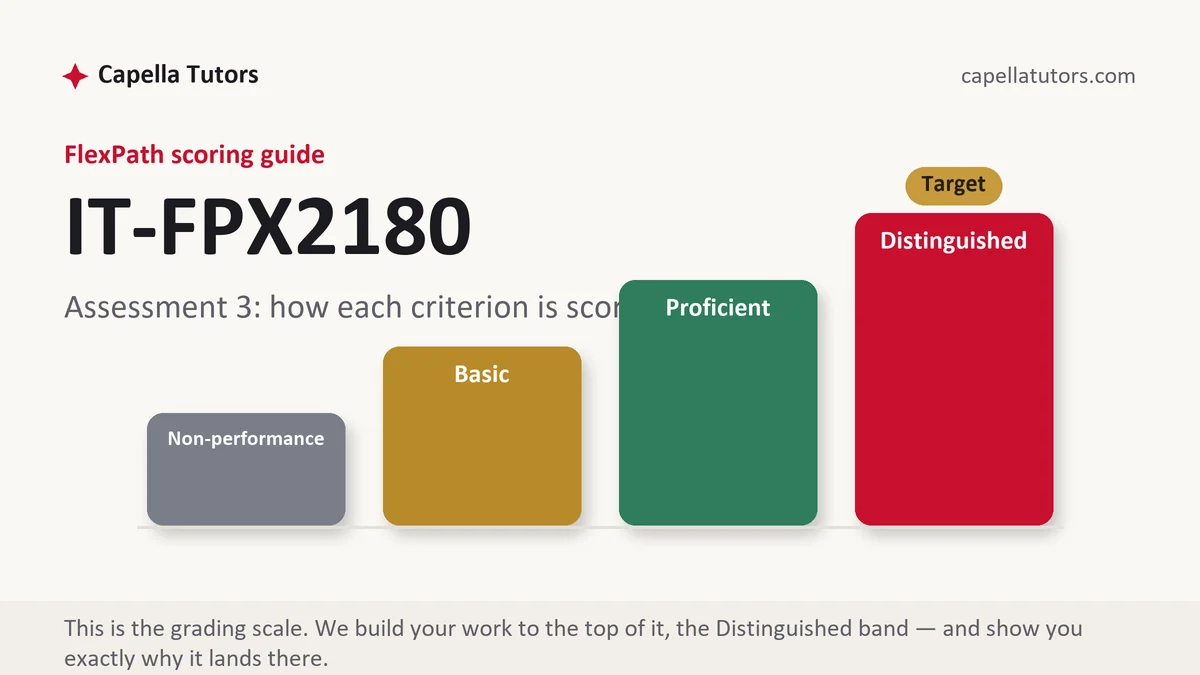
How IT FPX 2180 Assessment 3 is scored
Levels, not letters. Each criterion on the guide sits at one of four, and the descriptions tell you what the argument beneath them has to contain:
| Level | What it means on an infrastructure recommendation |
|---|---|
| Distinguished | The capacity arithmetic is shown rather than asserted, the failure behaviour of each layout is stated, the recommendation names the workload it serves, and the paper says what the design does not protect against. That exclusion is the sentence the top level was written for. |
| Proficient | The options are compared correctly with working shown and a defensible choice made. Sound analysis, one admission below the column above. |
| Basic | Layouts described from memory with capacities roughly right and no arithmetic on the page. The usual landing spot for a first storage recommendation. |
| Non-performance | A required element is missing, most often the usable capacity calculation or the failure tolerance. An unanswered row scores at the floor. |
Every recommendation in this course is a tradeoff argued in operational terms, so the sentence that carries a criterion is nearly always the one admitting what you gave up. Vendor and storage-industry guidance is where that argument is sourced, not in your own assertion about which layout feels safer.
The IT FPX 2180 Assessment 3 method, step by step
-
Start from the requirement, in numbers
How much is stored today, how fast it grows, how long a rebuild can be tolerated, and whether the workload writes constantly or mostly reads. Those four figures decide the layout, and choosing a familiar one first and hoping the capacity fits is how a design ends up unable to grow past next spring.
-
Work the capacity arithmetic for every candidate
Take the same disks and compute usable space for each layout, in the document, with the multiplication visible. A table of capacities with no derivation reads as copied from somewhere, and the criterion is written about your reasoning rather than about your conclusion. Show the failure tolerance beside each capacity figure.
-
State how each layout behaves while it is degraded
Surviving a dead disk is only the headline. Say what the array does during the rebuild: which disks are read end to end, whether users are still being served, how long that window lasts at your disk size, and what a second failure inside it costs. The rebuild window is where the real argument lives.
-
Name the workload before you name the winner
Extra usable terabytes and faster writes are opposite purchases, and neither is correct until you say whose data it is. A retouching station writing large files all afternoon and an archive that is written once and read rarely want different layouts, and the sentence identifying that workload is the sentence the recommendation row pays for.
-
Say what the design does not protect against
An array survives hardware failing and nothing else, so a deleted folder, a corrupted catalogue or an encrypted volume is replicated faithfully onto every member disk. Write that plainly, then state that the recommendation only holds alongside a copy that lives somewhere else. It is one paragraph and it is frequently its own criterion.
-
Source the guidance, then self-score
Cite the manufacturer's specification for the exact drive model, the hypervisor or controller documentation for its behaviour, and a standards body rather than a preference wherever you claim a configuration is hardened. Then grade every criterion yourself and submit with the two business days of evaluation still in front of you.
A structure that maps to the criteria
Targets our tutors plan a recommendation of this size against, not limits set by Capella; expand any row your own guide asks more of.
| Section | What it must do | Guide |
|---|---|---|
| The requirement, quantified | Current volume, growth rate, tolerable rebuild time, and the read or write character of the workload. | ~200 words |
| Candidate layouts | Each option with its usable capacity worked out and its failure tolerance stated beside it. | ~300 words |
| Behaviour while degraded | What happens during a rebuild, how long it lasts, and what a second failure costs. | ~250 words |
| The recommendation | The layout chosen, the workload it serves, and the capacity or speed given up to get it. | ~220 words |
| What it does not cover | The failure modes no redundancy addresses, and what has to exist alongside the array. | ~150 words |
| Evidence and references | Any capture or output you produced, plus manufacturer and standards documentation in current APA. | as needed |
Annotated sample excerpt
A short passage from an original model our team wrote, showing what open arithmetic sounds like. Study the sequence, then rebuild it around your own requirement.
The studio holds roughly 6 TB of delivered work and adds about 900 GB a year, which fixes the sizing question before any layout is chosen.1 Four 4 TB disks produce four different answers: striped with no redundancy, 16 TB usable and everything lost to one failure; mirrored in pairs, 8 TB; single parity across all four, 12 TB while surviving one dead disk; dual parity, 8 TB while surviving two.2 Single parity buys four extra terabytes and pays for them with the rebuild window, because replacing a member forces the controller to read all three survivors end to end while the retouching station is still working, and a second failure inside that read takes the whole array, which is the tradeoff the recommendation has to name rather than avoid.3
- 1Puts the requirement in numbers in the first sentence, including the growth rate. A design sized without growth is the omission this criterion most often catches.
- 2Four layouts, four capacities, four failure tolerances, all in one place. The arithmetic is visible, which is what separates analysis from a recalled table.
- 3Names the purchase and the price in the same sentence, then states the second-failure consequence. This is the tradeoff sentence the top column is written to find.
The full premium sample for your exact assessment, written fresh to your scoring guide and issue, is free to request. Study it, revise it into your own voice, and submit work you understand.
The five mistakes that cost Distinguished
- Usable capacity quoted with no working shown. The row grades the derivation, and a bare figure cannot be distinguished from one copied off a forum.
- Redundancy offered as the answer to accidental deletion. A removed file is replicated onto every member disk immediately, so conflating the two costs the risk criterion.
- The rebuild window left out of the comparison. It is where the real difference between layouts lives, and a comparison without it has compared capacities only.
- A layout recommended before the workload is described. Speed and space are opposite purchases, and the choice is undefendable until the reader knows whose data it holds.
- Growth omitted from the sizing. A design that fits today and nothing after it fails the requirements row however neat the arithmetic is.
Pre-submission checklist
- Current volume, growth rate and workload character all quantified up front
- Usable capacity derived in the text for every candidate layout
- Failure tolerance stated beside each capacity figure
- Rebuild behaviour described, including the cost of a second failure during it
- The recommendation names its workload and the capacity or speed it sacrifices
- One paragraph stating the failure modes the design does not address
Storage recommendation due?
Send the criteria, the volumes and the workload the design has to serve. The sample returns in 24 to 48 hours with the capacity arithmetic worked in the open, the rebuild window argued, and the exclusions written down. A reviewer recomputes every figure before the file leaves, and revisions stay free until the guide is met.